Post-Processing Tips for Controlling Tonal Range in Black and White Photography
Black and white photography has a timeless power that color images often struggle to match. Stripping away hues forces the viewer to connect with shape, texture, tone, and contrast — elements that define the emotional impact of any photo. However, translating that visual potential into a compelling final image often depends on skillful post-processing. Controlling tonal range in black and white photography — from deep blacks to bright highlights and all the subtle mid-tones in between — is a critical step in creating expressive, impactful monochrome shots.
In this comprehensive guide, we explore how to control tonal contrast and tonal range using black and white post-processing tips, a thoughtful workflow, and real examples from nature photographer Varina Patel’s detailed Visual Wilderness tutorials. Whether you’re a landscape photography enthusiast or a curious beginner, you’ll discover how thoughtful editing can bring out the best in your black and white photos.
Understanding Tonal Range and Tonal Contrast
Before diving into specific editing methods, it’s essential to clarify what we mean by tonal range and tonal contrast. These terms are the foundation of effective black and white photo editing.
- Tonal Range refers to the spectrum of tones from the deepest blacks to the brightest highlights. A broad tonal range ensures your photo feels rich and dimensional, while a narrower range creates a moodier, more minimalist feel.
- Tonal Contrast describes the difference between tones — how starkly or subtly light and dark areas interact in your image. High contrast can make subjects pop and create drama, while lower contrast can soften the scene.
In black and white photography, controlling tonal range and contrast is more than simply moving a slider: it’s about visual storytelling. Well-handled tonal editing allows your viewer to travel through the image, noticing details, textures, and shapes that might otherwise remain hidden.
Start with a Good Conversion: Using Silver Efex and Presets as a Base
I often begins her workflow not with drastic adjustments, but with a thoughtful starting point using presets in Nik Silver Efex Pro. Presets can be powerful because they give you a well-balanced base from which to begin tinkering, but the real magic comes from how you tweak them.
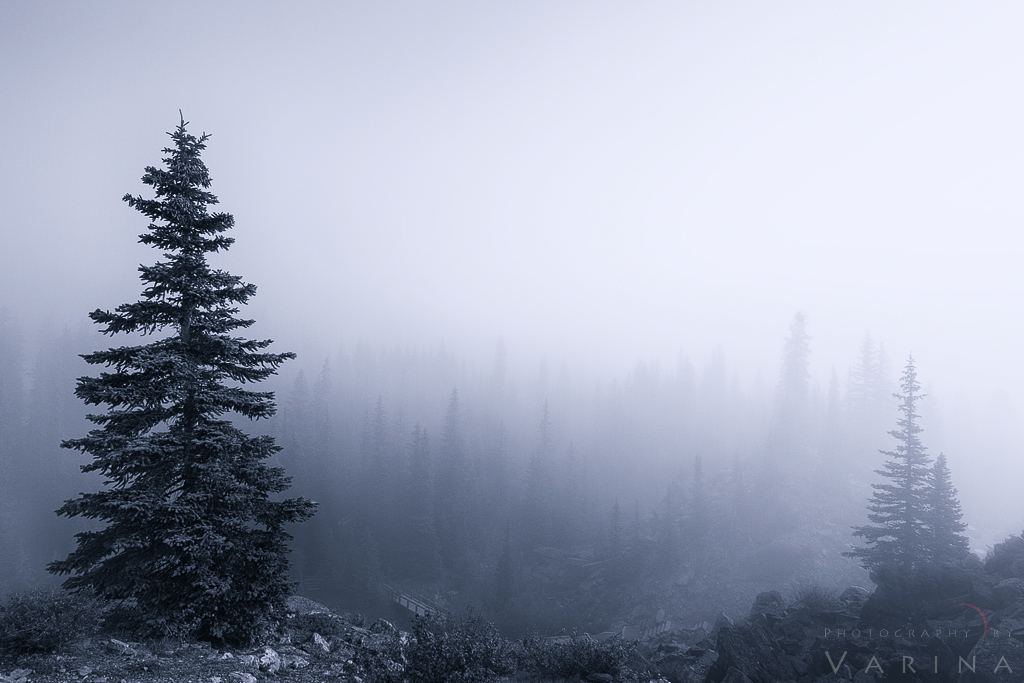
Black & White Photo with Blue Tint, Banff National Park, Canada
Using Silver Efex Presets
My approach typically involves:
- Choosing a preset that closely matches the contrast vision she has for the image.
- Tweaking mid-tone structure and highlight tonality protection to maintain delicate details while enhancing contrast.
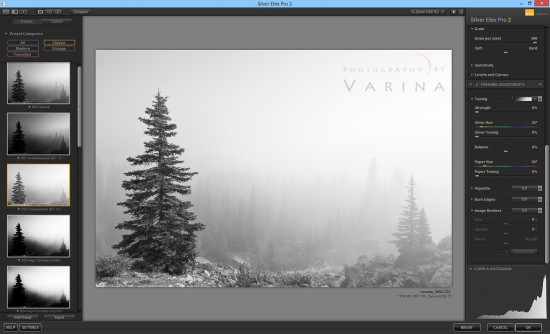

Using Presets in Silver Efex for Black & White Photography
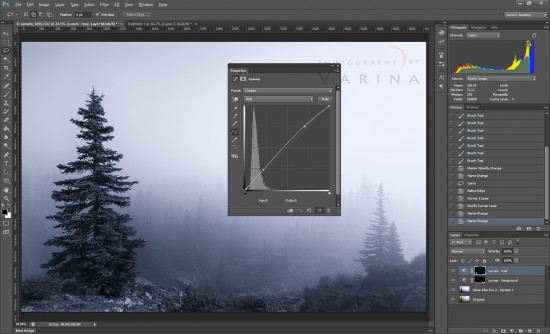
Targeted contrast adjustment in Photoshop for Black & White Photography
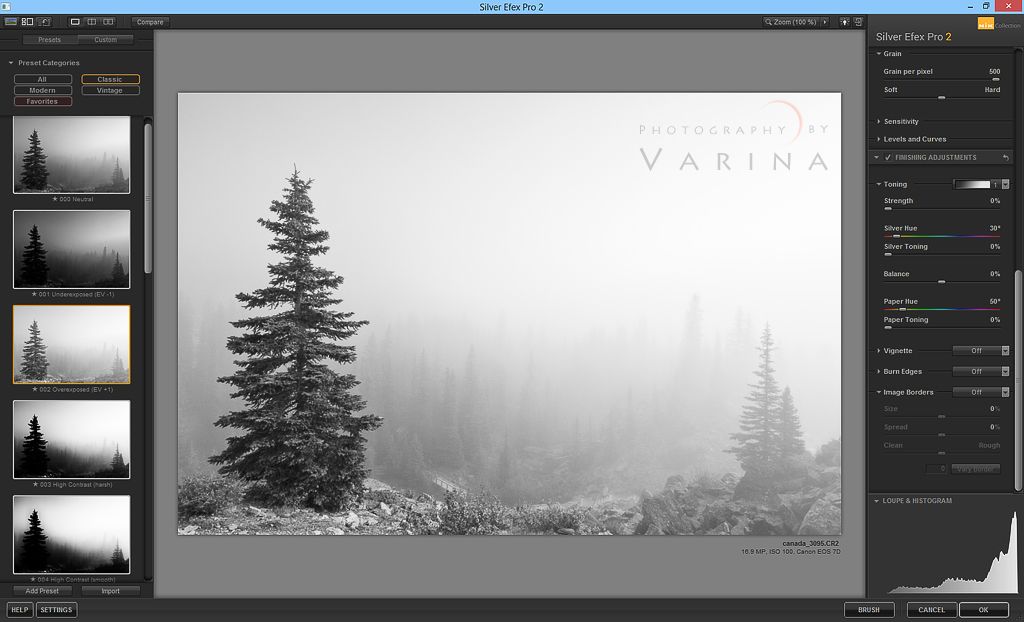
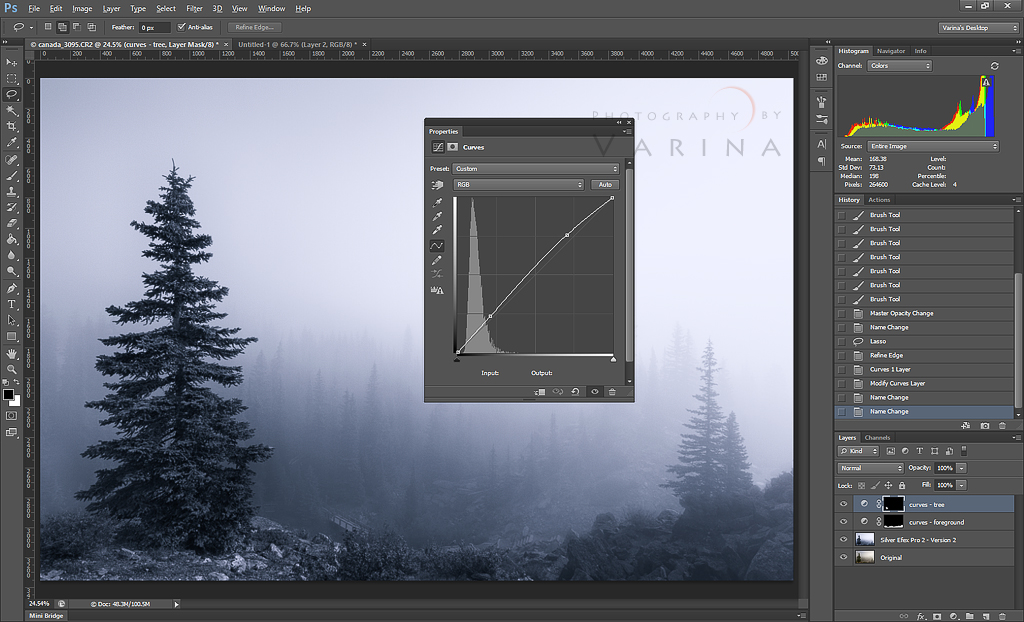
For example, in my foggy Moraine Lake shot, I used Overexposed EV+1 to boost contrast while keeping the subtle light of the fog intact before refining it further in Photoshop. This combination of presets and adjustments helps maintain control over the tonal range from the start.
Layered Black and White Editing in Photoshop
One of the most advanced yet impactful black and white editing techniques involves working with multiple layers and masks in Photoshop. This gives you granular control over how tones are expressed in different parts of your photo.
Example: Foggy Forest with Dual Layers
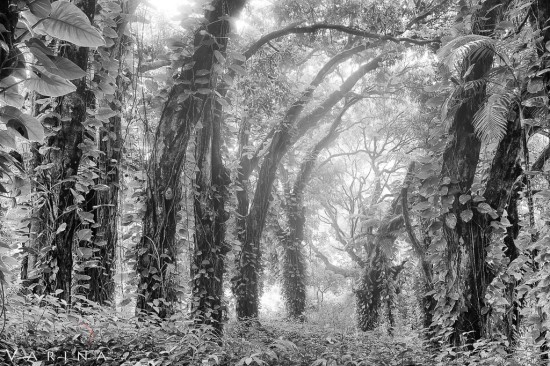
In this Big Island, Hawaii example, I needed an image that both showed strong contrast and preserved the soft tonal quality of distant mist. My solution was to stack two black and white layers:
- Silver Efex Layer – For strong tonal contrast in the forest and foreground.
- Black and White Adjustment Layer – For a softer look in the misty background.
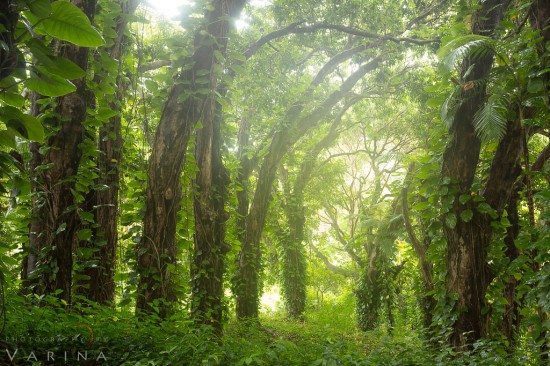

Landscape photography in color from Big Island, Hawaii
Finished Black and White Photo, Big Island, Hawaii
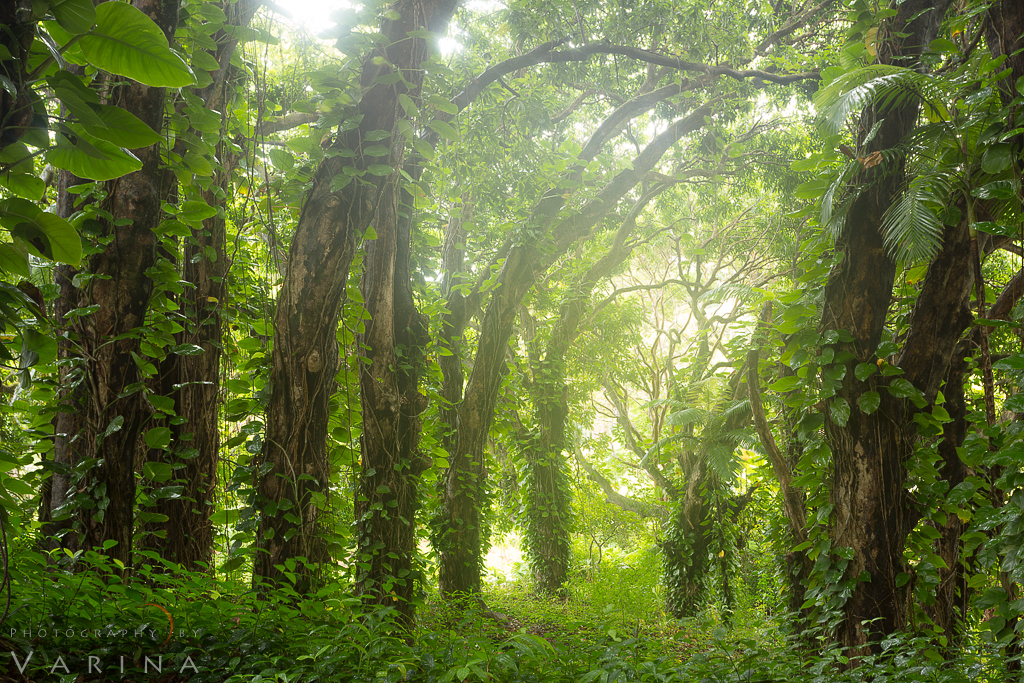
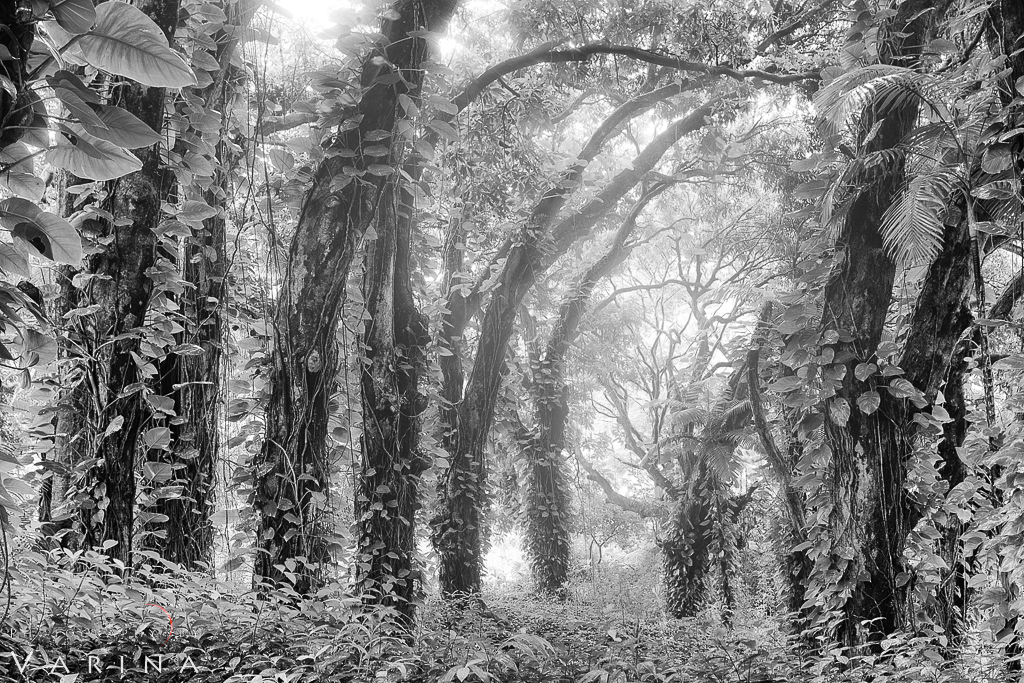
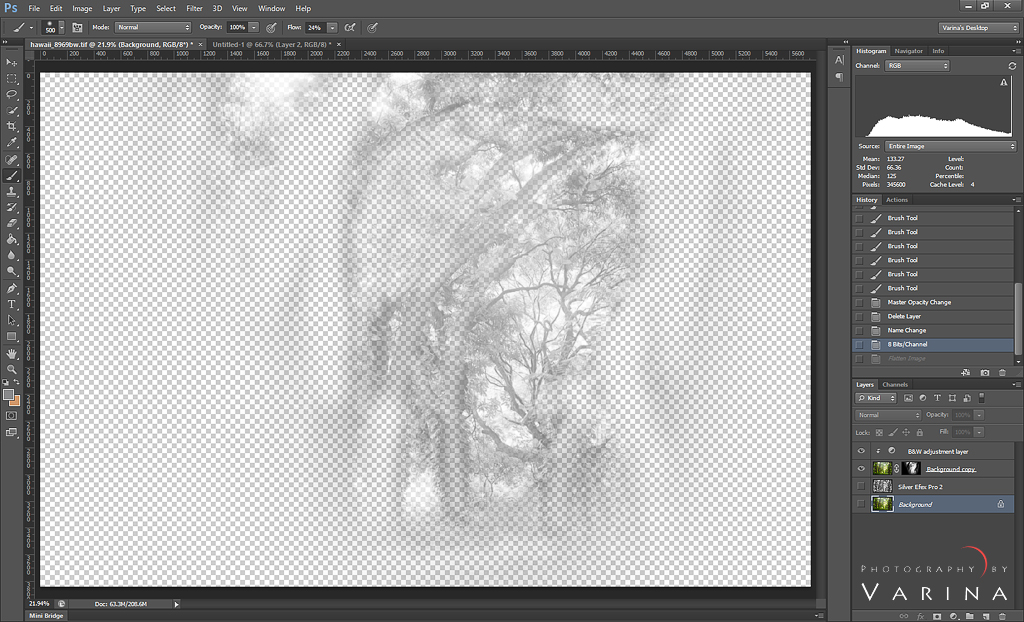
I began with the background layer, then added a Silver Efex layer to create strong tonal contrast. Next, I duplicated the background and placed it above the other layers, applying a black and white adjustment with a mask. Photoshop masking was essential here because it let me control tonal contrast independently in the foreground and background. By selectively blending these layers, I was able to enhance depth, preserve subtle tonal transitions, and create a more balanced and dimensional black and white image.
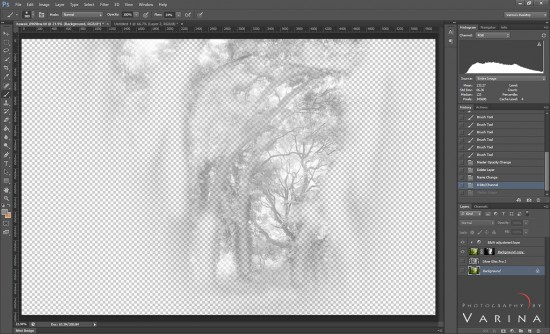
Photoshop mask to combine two Black and White Layers
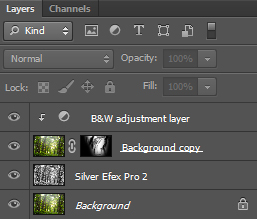

Final Photoshop layers & masks for finished photo
This technique highlights why mastering Photoshop’s layers and masks is crucial for advanced tonal control: you can edit different tonal ranges independently without losing any details you worked hard to capture.
Targeted Contrast and Exposure Adjustments
Even after you’ve set up solid base layers, careful fine-tuning of tonal contrast and exposure often makes the difference between a good and a great black and white image.
I recommend:
- Brightening key areas of interest to draw the viewer’s eye.
- Darkening distracting or less important regions to reduce visual noise.
- Checking for noise and smoothing as needed, especially in fine gradients like skies or fog.
Here are some specific targeted edits you can use while controlling tonal range:
Contrast Sliders
Adjust the overall contrast slider first—but beware of over-doing it. Too much contrast can crush your shadows or blow out your highlights, eliminating detail.
Tone Curve Adjustments
The tone curve tool lets you manipulate specific tonal regions, such as deep shadows or bright highlights, without affecting the rest of your tonal range. A gentle S-curve usually increases contrast while maintaining depth.
Dodge and Burn
This age-old technique — lightening (dodging) some areas while darkening (burning) others — gives precise control over where attention should be drawn in the frame. Photoshop masking is essentially a refined version of dodge and burn, targeted across larger swaths of your image.
Smooth Tonal Gradation: Protecting Mid-Tones
Tonal contrast isn’t only about extremes — managing smooth transitions between mid-tones is what gives black and white photos a refined, natural look. Harsh transitions can create noise and artifacts, especially in skies or foggy areas.
Here are few crucial tips for smooth tonal gradation:
- Use a light touch with adjustments — extremists often cause banding or grain.
- Bring out true black and true white carefully — too much can flatten mid-tones; too little can make a photo look dull.
- Consider high-key or low-key conversions for special mood effects — these techniques rely on all tonal adjustments staying subtle.

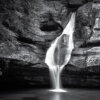
Black and White Photo with smooth tones. Twinsburg, Ohio
Achieving smooth mid-tone gradation is a hallmark of professional-level black and white processing. Using sliders like Highlights, Shadows, Whites, and Blacks individually helps ensure a balanced spread of tonal values across the image.
Tonal control goes beyond technical precision — it’s also an expressive tool that helps communicate mood.
For instance:
- High tonal contrast often creates drama and intensity — especially in landscapes or architectural photography.
- Lower contrast with a softer tonal range might lend a serene or ethereal feel, especially in foggy or calm scenes.
In her work, I often match my tonal strategy to the emotional intent of the photo: crisp, strong contrast for rugged textures; gentle gradation for mysterious fogs; and sculpted mid-tones in forest scenes.
Common Mistakes to Avoid in Black and White Post-Processing
As you practice controlling your tonal range, watch out for these common pitfalls:
1. Over-Contrasting
Overly aggressive contrast can obliterate shadow or highlight detail, leaving your image with harsh edges and no depth. Moderation is key — strive for a balanced tonal histogram with peaks across shadows, mid-tones, and highlights.
2. Ignoring Mid-Tones
Focusing only on blacks and whites while neglecting the mid-tones can produce flat, boring results. Mid-tone adjustments often make the photo expressive without pushing it into extremes.
3. Excessive Noise or Banding
Pushing contrast sliders too far, especially in smooth areas like skies, can introduce noise and banding. Use gentle adjustments and add noise reduction if needed.
4. Forgetting the Histogram
The histogram remains your best friend when editing — it gives a visual map of tonal distribution, helping you ensure you’re not clipping highlights or shadows unnecessarily.
Conclusion: Practice and Creativity Go Hand in Hand
Mastering tonal range control in post-processing for black and white photography is both a technical and creative journey. From choosing the right preset in Silver Efex Pro to meticulous layer-based edits in Photoshop, each step shapes how your final image feels and communicates. Drawing on real workflow examples, this guide shows how tonal contrast, layered editing, and smooth tonal transitions can elevate your photos from ordinary to compelling.
Ultimately, the best way to improve is to experiment — try high-contrast edits for drama, low-contrast for mood, and layered blending for refined results. As you gain experience, controlling tonal range will become second nature, allowing you to express your artistic vision through striking black and white photography.
About Author Varina Patel

There is nothing more remarkable to me than the power of nature. It is both cataclysmic and subtle. Slow and continuous erosion by water and wind can create landscapes every bit as astonishing as those shaped by catastrophic events – and minuscule details can be as breathtaking as grand vistas that stretch from one horizon to the other. Nature is incredibly diverse. Burning desert sands and mossy riverbanks… Brilliant sunbeams and fading alpenglow… Silent snowfall and raging summer storms… Each offers a unique opportunity. I am irresistibly drawn to the challenge of finding my next photograph, and mastering the skills required to capture it effectively.